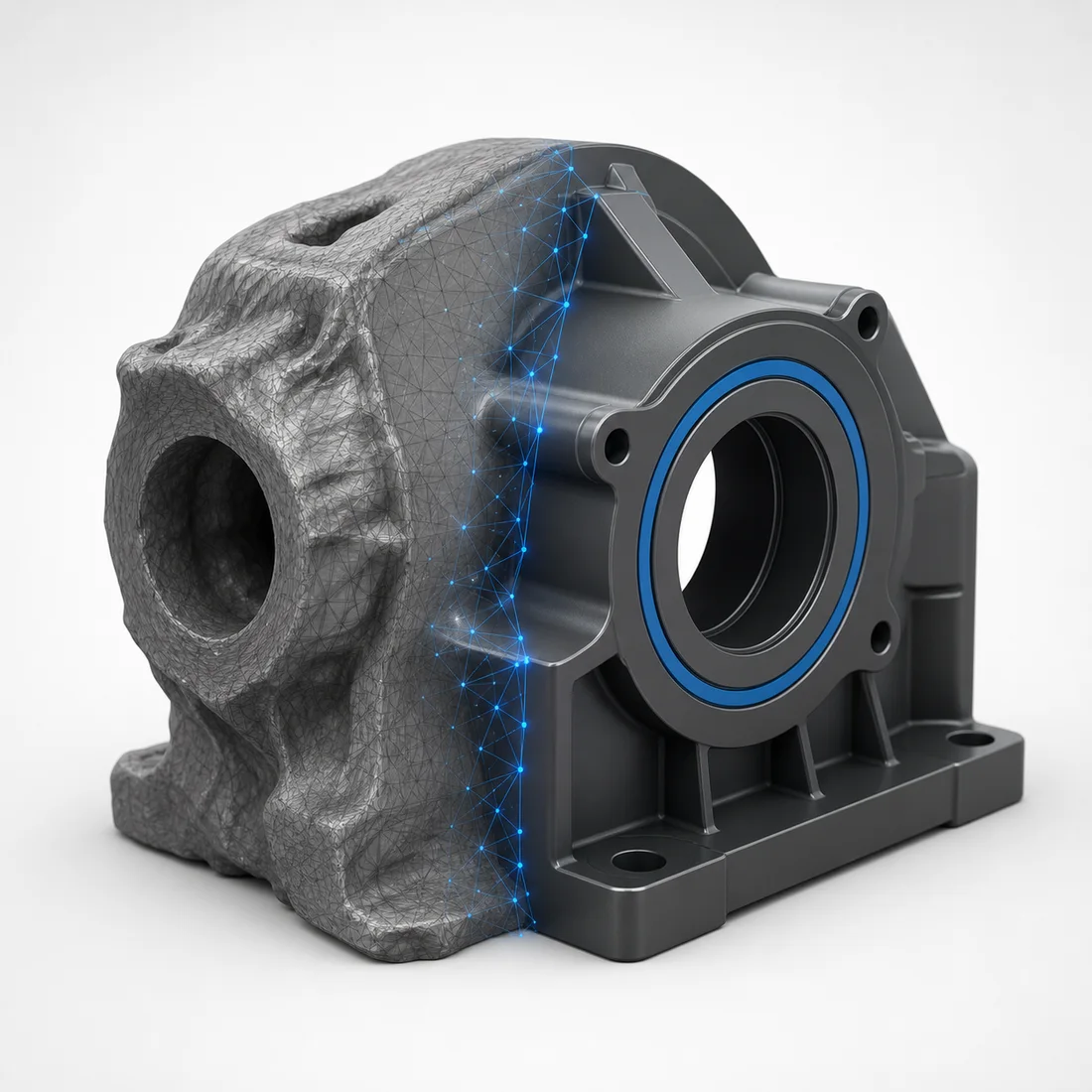
Artificial intelligence is changing the way 3D content is created. Modern AI tools can generate a basic 3D model from a text description, a single image or several photographs.
This technology can reduce production time, accelerate concept development and help create early prototypes. However, an automatically generated object is not always ready for professional use.
A model intended for a website, an online store or augmented reality usually requires additional manual work. Its geometry, scale, materials, UV mapping and file size must be checked and optimized.
What Is AI 3D Model Generation?
AI 3D model generation is a process in which a neural network creates three-dimensional geometry based on input data.
The input can include:
Text Description
The user describes an object using natural language. The AI interprets the description and generates a possible three-dimensional form.
Single Image
The system analyzes one photograph or illustration and estimates the shape of the object.
Multiple Images
Several photographs taken from different angles provide more information about the object and can improve the result.
Existing 3D Data
Some tools can refine, texture or transform an existing model rather than generating it completely from scratch.
AI generation is especially useful for early concepts, background objects, stylized assets and rapid visualization.
For accurate commercial products, however, additional control is usually required.
Text-to-3D: Creating a Model from a Description
Text-to-3D tools generate objects from written prompts.
For example:
A modern office chair with a high backrest, black fabric upholstery, metal armrests and a five-wheel base.
The AI interprets the description and creates a possible version of the chair.
This approach is useful when:
Good Applications
— Exploring product concepts
— Testing different shapes
— Creating stylized assets
— Producing early prototypes
— Generating background objects
— Preparing visual references
Main Limitations
— Dimensions may be inaccurate
— Construction may be unrealistic
— Hidden surfaces are invented
— Small details may be distorted
— Topology may be unsuitable
— The design may not match a real product
Text-to-3D is fast, but it provides limited control over precise dimensions, engineering details and product identity.
Image-to-3D: Creating a Model from a Photograph
Image-to-3D technology estimates three-dimensional geometry from a two-dimensional image.
A photograph only shows one side of an object. The back, bottom and hidden details are not visible, so the AI must predict them.
As a result, a model generated from one image may look correct from the original camera angle but contain errors when rotated.
For a more accurate result, it is better to provide:
Multiple Angles
Front, side, rear and three-quarter views help the system understand the full shape.
Object Dimensions
Height, width and depth help establish correct proportions and real-world scale.
Reference Materials
Close-up photographs, drawings, texture samples and technical information improve the final result.
Image-to-3D can be helpful for furniture, decoration, footwear, household products and simple equipment. Complex mechanical products usually require more manual reconstruction.
Can an AI-Generated Model Be Used Directly in AR?
Sometimes it can, but in most commercial projects the model should be processed by a 3D specialist first.
A model for augmented reality must not only look good. It also needs to work reliably on mobile hardware.
A production-ready AR model should have:
— Correct real-world dimensions
— A logical pivot point
— Clean geometry
— Correct normals
— Suitable polygon density
— Optimized textures
— PBR-compatible materials
— Proper UV mapping
— A manageable file size
— Correct GLB or USDZ export
— Stable mobile performance
— Consistent appearance on different devices
Without this preparation, a generated model may load slowly, appear at the wrong size, float above the floor or display broken materials.
From AI Generation to WebAR: A Practical Workflow
Step 1: Collect References
Prepare photographs, dimensions, drawings, material examples and product specifications.
Better source information leads to a more predictable result.
Step 2: Generate Several Variants
Create multiple versions instead of relying on the first result. Compare the silhouettes, proportions and overall structure.
Step 3: Repair the Geometry
Remove artifacts, intersecting surfaces, holes and unnecessary internal geometry.
Symmetry and important product details may need to be rebuilt manually.
Step 4: Retopologize the Model
AI-generated geometry can be irregular or unnecessarily dense.
Retopology creates a cleaner mesh that is easier to edit, animate and optimize.
Step 5: Prepare the Materials
Convert the appearance into a real-time PBR material system.
Typical maps include:
— Base Color
— Roughness
— Metallic
— Normal
— Ambient Occlusion
— Emissive
Step 6: Optimize the Model
Reduce unnecessary polygons, compress textures, remove unused data and simplify the scene structure.
Step 7: Export and Test
Export a GLB file for web use and compatible Android AR workflows. Prepare a USDZ file when Apple AR Quick Look support is required.
Test the files on real smartphones and tablets.
Where AI-Generated 3D Models Can Be Used
E-Commerce
Customers can rotate a product, inspect details and view it from different angles before purchasing.
Furniture and Interior Design
A virtual chair, table, sofa or cabinet can be placed inside the customer’s room at approximately real scale.
Automotive Visualization
AI-assisted models can be used for early vehicle concepts, accessories, replacement parts and interactive presentations.
Advertising
A 3D product can be connected to a QR code, campaign page, digital catalogue or interactive banner.
Education
Interactive models can explain complex objects, mechanisms and assembly processes.
Rapid Prototyping
Design ideas can be visualized before a detailed production model is created.
AI Generation vs Manual 3D Modeling
Criteria · AI Generation · Manual 3D Modeling
Initial production speed · Very fast · Slower
Control over dimensions · Limited · High
Technical accuracy · Unpredictable · Can be precise
Topology quality · Often inconsistent · Fully controllable
Suitability for concept work · Excellent · Good
Suitability for exact products · Limited without editing · Excellent
Cost for early prototypes · Potentially lower · Usually higher
Need for final quality control · Always · Always
AR optimization · Usually required separately · Can be planned from the start
The strongest workflow is often a combination of both methods.
AI generates the initial concept or base model, while a professional 3D artist corrects the geometry, materials and technical structure.
Will AI Replace Professional 3D Artists?
AI can automate parts of the production process, but it does not automatically understand the commercial purpose of a model.
A model prepared for a product render has different requirements from a model prepared for:
— Augmented reality
— A mobile application
— A web configurator
— A video game
— Manufacturing
— Technical documentation
— Advertising
Professional work requires decisions about topology, visual quality, performance, file formats and platform compatibility.
AI is therefore best treated as another production tool rather than a complete replacement for specialist knowledge.
Frequently Asked Questions
Can AI create an accurate 3D model from one photograph?
It can create an approximate model. For accurate dimensions and hidden details, additional photographs, drawings or measurements are required.
What format should I use for AR?
GLB is commonly used for websites and many Android-based workflows. USDZ is commonly used for Apple AR Quick Look.
Can I use an AI-generated model in an online store?
Yes, but the model should first be checked for licensing, geometry quality, scale, materials and performance.
Is AI faster than traditional modeling?
It is usually faster for generating an initial concept. The total production time depends on how much correction the generated result requires.
Conclusion
AI can significantly accelerate the early stages of 3D production. It is useful for generating concepts, testing ideas and producing an initial model from text or images.
For commercial websites and augmented reality, however, the generated result normally needs professional preparation.
I create, repair and optimize 3D models for websites, online stores, WebAR projects and interactive product presentations. Models can be delivered in FBX, GLB and USDZ formats based on the technical requirements of the project.